
What ODOC Covers in Oklahoma
The Oklahoma Department of Corrections tracks people serving state sentences. Its lookup covers that system and nothing more. It is not a statewide arrest feed. It does not list everyone booked in Oklahoma, and it is not a live index of county jail inmates. Plenty of people get arrested by a city or county, sit in local custody, and never enter ODOC custody at all. Others show up only after sentencing, once a court hands the case to state prison.
That split matters when one name pops up in two places. The sheriff or jail builds the local booking record. The court keeps the docket and the eventual disposition. ODOC keeps the corrections file. Every one of those records carries its own date, purpose, and custodian, so a shared name, charge label, or photo does not prove the entries describe the same event. Match the full name, dates, county, and case number before linking anything.
ODOC mugshots are identification images kept for corrections use. A photo snapped at county intake is a different image, held by a different agency. The two should not be confused.
Use the Official ODOC Offender Search
Start at the official ODOC offender-information page. That hub links to the live ODOC Offender Lookup and related agency material. Go through the hub rather than a saved page. Do not trust an old screenshot. The service shifts as its data source and interface get updated. Read the live labels each time you search. Keep the result tied to the source and date you viewed.
- Open the ODOC offender-information hub and select the current Offender Lookup link.
- Read the visible field names and any service notice first. Do not assume that an older field list still applies.
- Search with the narrowest known combination that the current form accepts. If a name is common, use any additional identifier the official record makes available.
- Open a likely result and compare the name, ODOC number, date of birth or other displayed identifier, facility, sentence, and status when those details appear.
- Note the date checked. A lookup result is a snapshot of the agency record, not proof of a later release, transfer, or court outcome.
- If the lookup is down, gives an incomplete result, or returns no match, use the agency request route or check the correct county and court source for the event in question.
The live ODOC lookup carries an agency notice right now. It says the data source changed recently. Staff are working through unexpected issues. That context is worth knowing. Still, it does not confirm a permanent outage or reveal which records are missing.
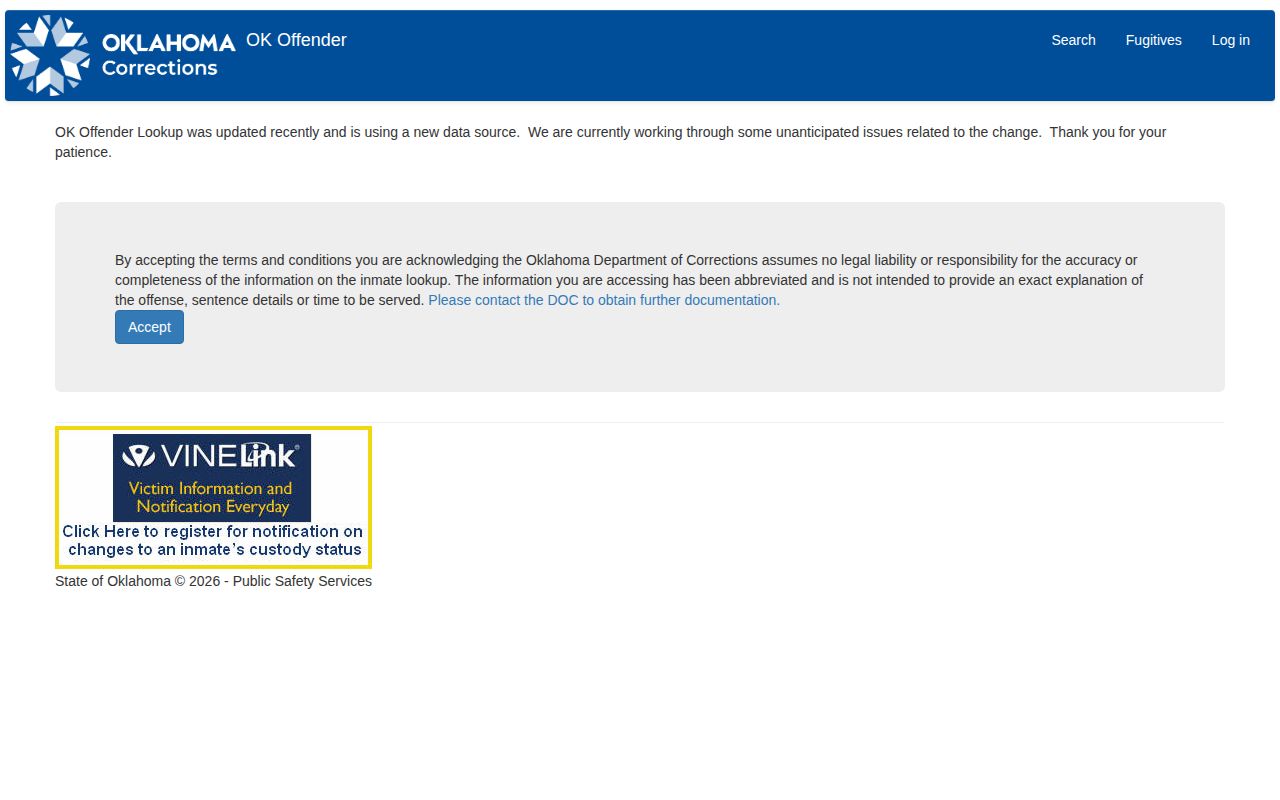
When a notice like that appears, try the official hub again later. You can also request the record straight from ODOC. Treat an empty result during the transition as an access problem. Treat a partial one the same way. It is not proof that an arrest, sentence, or photograph never existed.
Note: Record the lookup date and the source URL so a later search can be compared with the same official system.
ODOC Search Fields and Profile Details
The current public lookup does not document its exact field set. The agency went through a recent data-source transition. The live search form has not been viewable in the meantime. ODOC's 2017 launch description did name several search filters. Later agency guidance says to read the current labels instead of trusting that older list. So the table splits what is documented. What still needs a check is the live service.
| Field or detail | What is known | What remains unconfirmed |
|---|---|---|
| Name | Name search has historically been supported. | Current spelling rules, required fields, and exact-match behavior must be checked in the live form. |
| Custody or sentence filters | These were part of the historically documented search options. | The present filter labels and available choices are not confirmed. |
| Appearance, facility, conviction date, court, CRF number, term codes, statute or code | ODOC’s 2017 launch description identified these as search filters. | The research does not establish that each remains available today. |
| Profile identity and custody details | Compare an ODOC number, full name, date of birth or other displayed identifier, facility, sentence, and status when shown. | No single complete profile-field list is confirmed for every public result. |
| Identification photo | ODOC policy requires identification photographs for inmates and offenders. | The public lookup does not reliably expose a photo for every person or record. |
A useful result is one matched to the right person and read in context. Got several names back? Don't pick one from a photo alone. Compare the identifying details ODOC displays. Then use the ODOC number or another agency reference in a records request when you need more. A missing field does not mean ODOC never collected it. Nor does it mean another agency holds it.
Search filters and profile details are different things. A field can narrow a search yet never appear in the public profile. A profile can also display information that was never a search input. The live service is the authority on its current labels. Treat older screenshots and launch notices as history only.
Oklahoma ODOC Identification Photos
Under ODOC Policy OP-040115, the agency keeps an identification photograph for every inmate and offender. The rule serves corrections work. It is not a promise of a public lookup. Physical descriptions live in the Offender Management System, and the booking image belongs to that internal record.
The procedure starts at reception. Staff capture an electronic identification image there. Three angles are required. The policy calls for a front view plus both lateral views. Updates follow a set schedule. A new photograph is taken at least every five years, and sooner whenever a major change in appearance shows up. That keeps the file current.
Retention has its own rules. Before community release or discharge, the photo moves into a field file or closed records. Even then the image stays in the system for law-enforcement inquiry. So the agency keeps these images under its own process. Whether a particular photo reaches a public site is a separate matter, and the policy does not treat retention and public display as the same thing. Anyone hoping to download a front view and two side views should expect that answer to depend on the record itself.
Someone held in a county jail is a different story. The image that matters there is a county booking photograph, not an ODOC intake photo. A county may publish no photo at all. It may list only current custody. Or it may pull a released person off its roster the next day. ODOC's five-year refresh schedule has no bearing here. That schedule says nothing about how a county handles its own booking photos.
Note: A current photograph can still be older than the search date, and an older photo should not be used as proof of present appearance or custody.
Former Offenders and Closed Records
Once a person leaves active ODOC custody, the public lookup may simply stop showing them. That does not mean the file vanished. ODOC keeps a route for closed-record requests. Its own policy says the photo goes into a field file or closed records before community release or discharge. So the record likely still exists. It just sits in an agency system apart from the live public search. Disappearance from the lookup proves nothing. The record may not be erased, sealed, or destroyed at all. It could mean the index hides that record. It could mean the person shifted to another custody status. Or the search simply returned nothing. Nor does an existing ODOC identification photo guarantee the public can pull it without review. The practical move is to ask ODOC directly. Ask whether the record is retained and whether it can be released. The reverse holds as well. A result still showing does not prove the person sits in a cell today. Read the current status language and verify a release or transfer with the agency. For a county booking, contact the jail or sheriff that made the record. State and county files live with separate custodians, and their retention rules differ. A past charge raises one more limit. A custody lookup cannot supply a full court history. A booking entry marks an arrest or intake event. An ODOC entry, by contrast, marks a corrections relationship. Dismissed charges, sentence changes, and later court relief all live elsewhere. The court docket and signed orders are the sources for those events.
Requesting ODOC Records and Photos
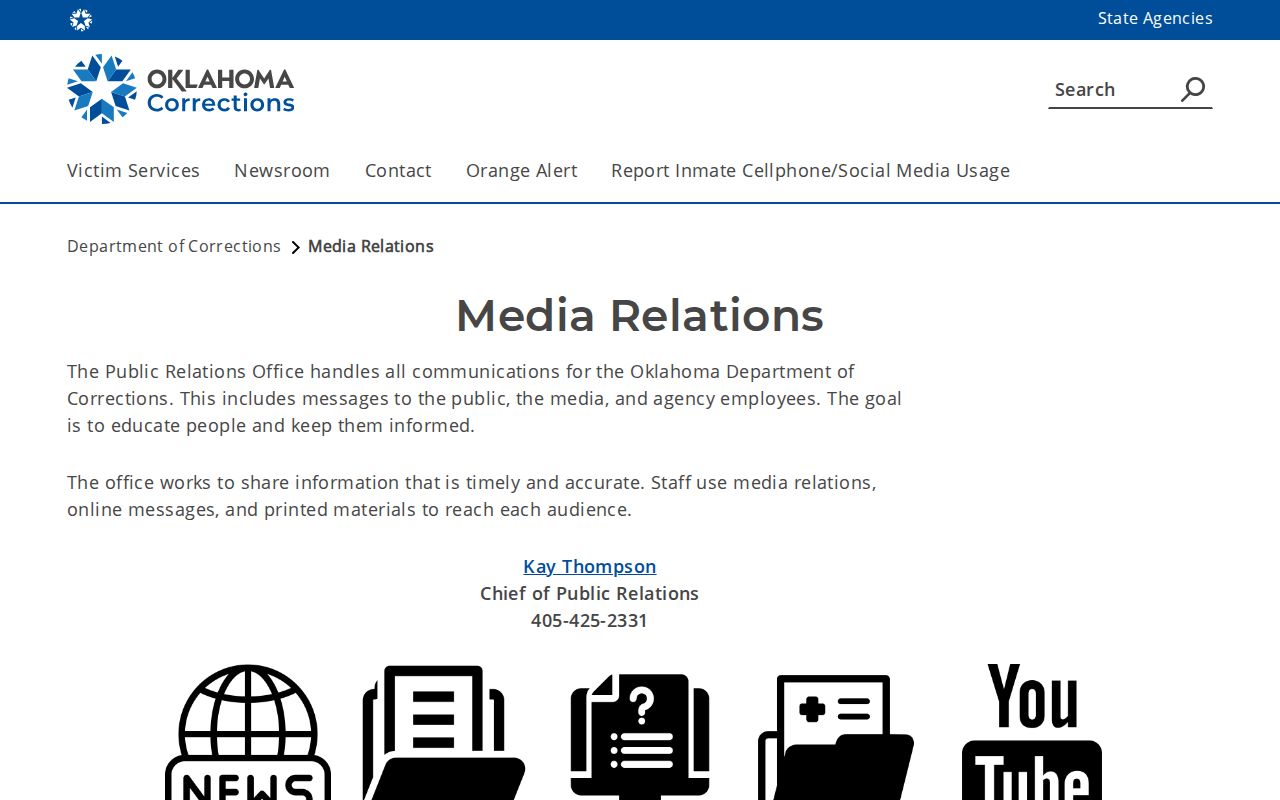
ODOC says it complies with Oklahoma's Open Records Act and posts request links through its offender-information and media-relations routes. The ODOC Media Relations page carries the public-data and records-request details. Use the current route the agency offers. Describe a record ODOC actually holds, and skip asking it to build a report or certify a court outcome outside its files. A focused request gets better results. Name the person. Add an ODOC number if you have one. State the record type and the time span, such as an identification photograph or a closed offender record. When a photo is the goal, ask whether that specific image is retained and releasable. The answer may also point you to another custodian.
- Open ODOC’s offender-information or Media Relations page and follow its current public-records request link.
- Identify the person and include the ODOC number or another reliable identifier when available.
- Describe the exact item sought, the relevant dates, and whether the request concerns a current or closed record.
- Ask ODOC to state any fee before work begins and to identify the legal basis for a withheld record or redaction.
Oklahoma's Open Records Act sets the framework. The statute, including 51 O.S. §§ 24A.5 and 24A.8, governs public-body records and lists law-enforcement categories that must be released if the agency keeps them. No blanket promise follows from that. The law never forces an agency to create a record it does not keep, so an ODOC identification photo is not automatically public. ODOC lists no standard fee or turnaround for an identification-photo request. Confirm both points with the agency rather than guessing. For contact, the ODOC Media Relations page works as the starting point. It offers agency information and a records route. It is not a photo file and not a list of everything the agency will release.
A county booking photo or jail log belongs to the county. Route that request to the county custodian, not to ODOC. The Oklahoma County Directory points to each local jurisdiction's official booking source or request path. Ask the agency that created the record. Or ask the one that holds it now.
ODOC Photos vs County Booking Photos
People call both of them mugshots. They come from different stages. A county takes its photo at local booking, right after an arrest. ODOC, by contrast, holds an identification photo. It sits inside the state corrections system. Match your question to the right record type, then ask the agency that created it.
| Record | Custodian and stage | Best next step |
|---|---|---|
| County booking photo | County sheriff or jail, connected to local arrest and booking. | Check the county roster if available, then request the booking record from that county. |
| ODOC identification photo | Oklahoma Department of Corrections, connected to state corrections records. | Use the official ODOC lookup, then use ODOC’s public-record request route for a specific retained image. |
| Court record | Clerk and court system for the case, including later case events. | Search the correct court docket and verify the disposition or order. |
The path from arrest to state custody is rarely a straight line. Some arrests end with no prison term at all. County custody can end while a case is still open. Someone in ODOC custody can later be released, yet the court file lives on. No single photograph tells you which of those events happened. Check the dates. Note the agency's status terms. Let the court docket settle the outcome.
For local rosters and booking records, start with the statewide County Directory. It links each county source. The statewide page also maps Oklahoma's booking and arrest-record channels. That route fits questions about a recent arrest. It fits less well for a person already sentenced to ODOC custody.
After an ODOC Lookup
A corrections search answers one question. It is not the whole story of a case. To see what became of a charge, pull the Oklahoma court docket. The Oklahoma State Courts Network (OSCN) offers docket access, and some counties sit on the Oklahoma District Court Records (ODCR) system instead. Match the county, case number, dates, and person before trusting an entry.
A few terms mark distinct points in the process. Booking is jail intake after an arrest. Sentence is the court's punishment order. ODOC custody means the state corrections record, not a county hold. Closed records move through ODOC's closed-record route rather than the active public lookup. Disposition is the court's recorded outcome, such as a dismissal, a plea, or a judgment.
A photo alone settles very little. Neither does a sentence line. Treat both as pointers to the full court history, and read the docket before drawing conclusions about any Oklahoma case.
When the live search comes up empty, save the name and record number. Find the custodian. Ask that agency directly for the current status or a copy. That habit keeps a county booking, a state prison photo, and a court outcome apart. It keeps them from blurring into one thing.